









Lower IT costs
Central management of VDI, DaaS and apps on-premises and in the hybrid cloud, instead of separate environments that each need upkeep.
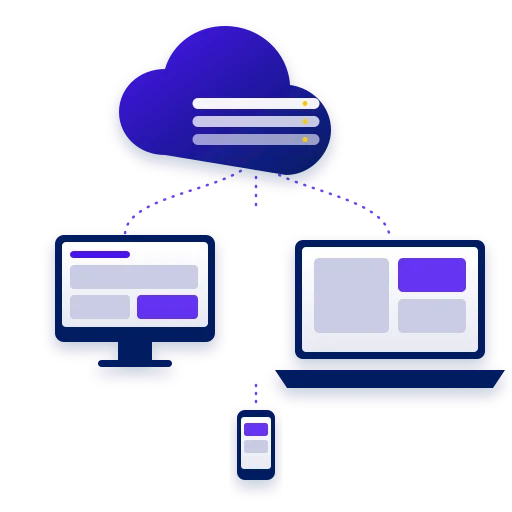
Omnissa Horizon delivers virtual desktops and apps (VDI, DaaS and published apps) in a secure and flexible way, for humans and AI agents. You can run it on-premises, in the cloud or hybrid, and manage everything from one place. The goal: an AI-ready workspace with a lower total cost of ownership (TCO).
One control plane manages apps, images, unified brokering, monitoring, machine learning and automation services, on top of Horizon and Horizon Cloud, on-premises and in a public cloud.
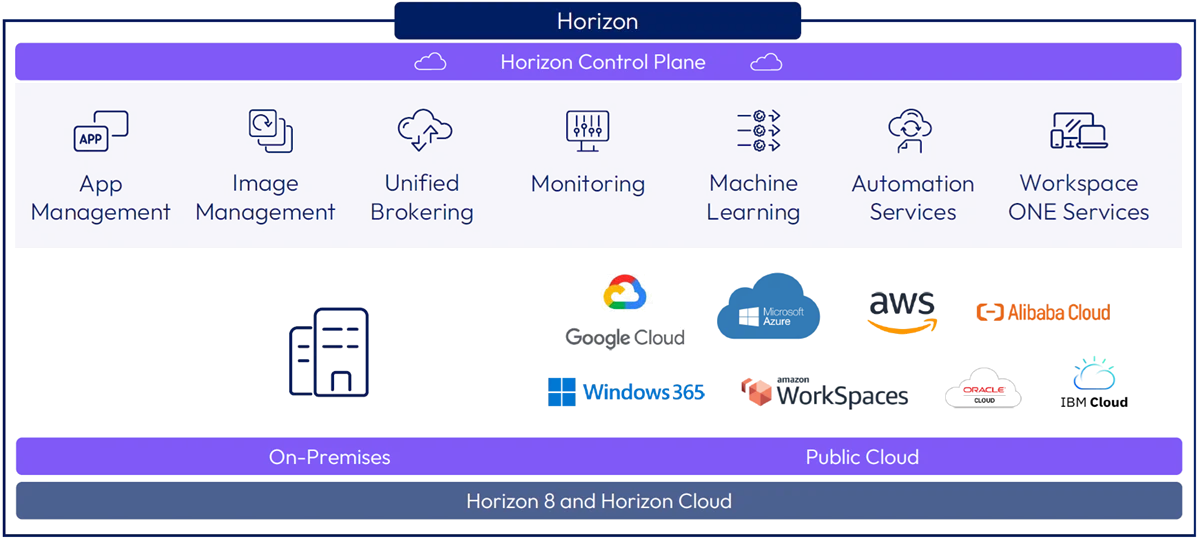
Central management of VDI, DaaS and apps on-premises and in the hybrid cloud, instead of separate environments that each need upkeep.
Simpler patching, central access control and delivery of trusted system images.
Fast deployment and updates of desktops and session hosts, and quick access to tools and apps.
The Blast protocol adapts to network conditions, so the experience stays steady on any device, in any place and on any network.
Personal devices (BYO) get secure access to virtual desktops and published apps, with no data left on the device.
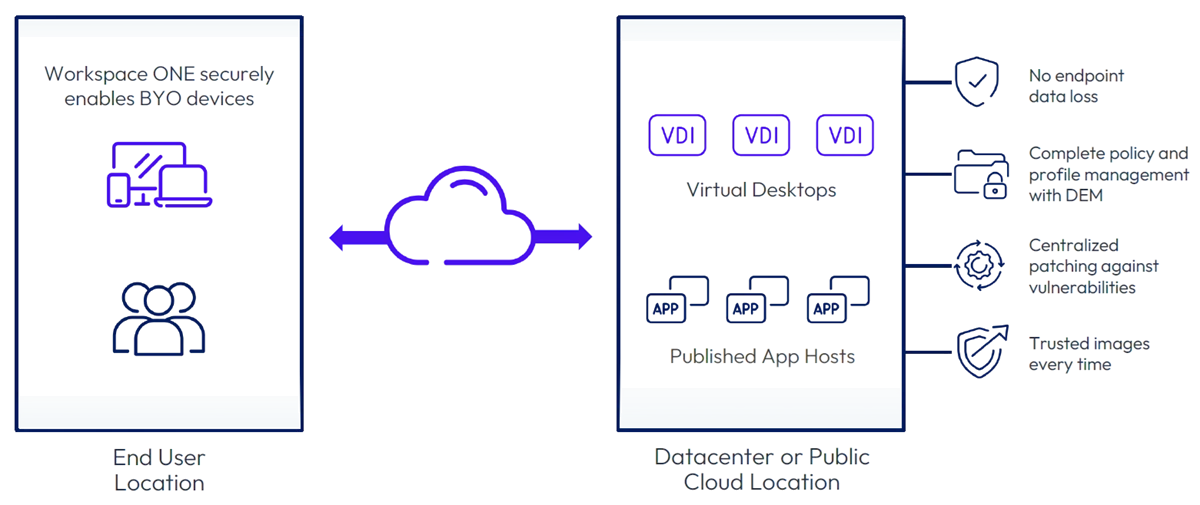
VDI and published apps on local or hybrid infrastructure, with cloud-based management or fully on-premises management.
Desktops as a service on public cloud capacity, with potential savings of up to 70% on cloud compute and storage costs, depending on configuration and workload.
A display protocol that adapts to the network and delivers a consistent experience on any device and from any location.
Capture an application once and deliver it to VDI and DaaS desktops and RDSH servers, on-premises or in the cloud.
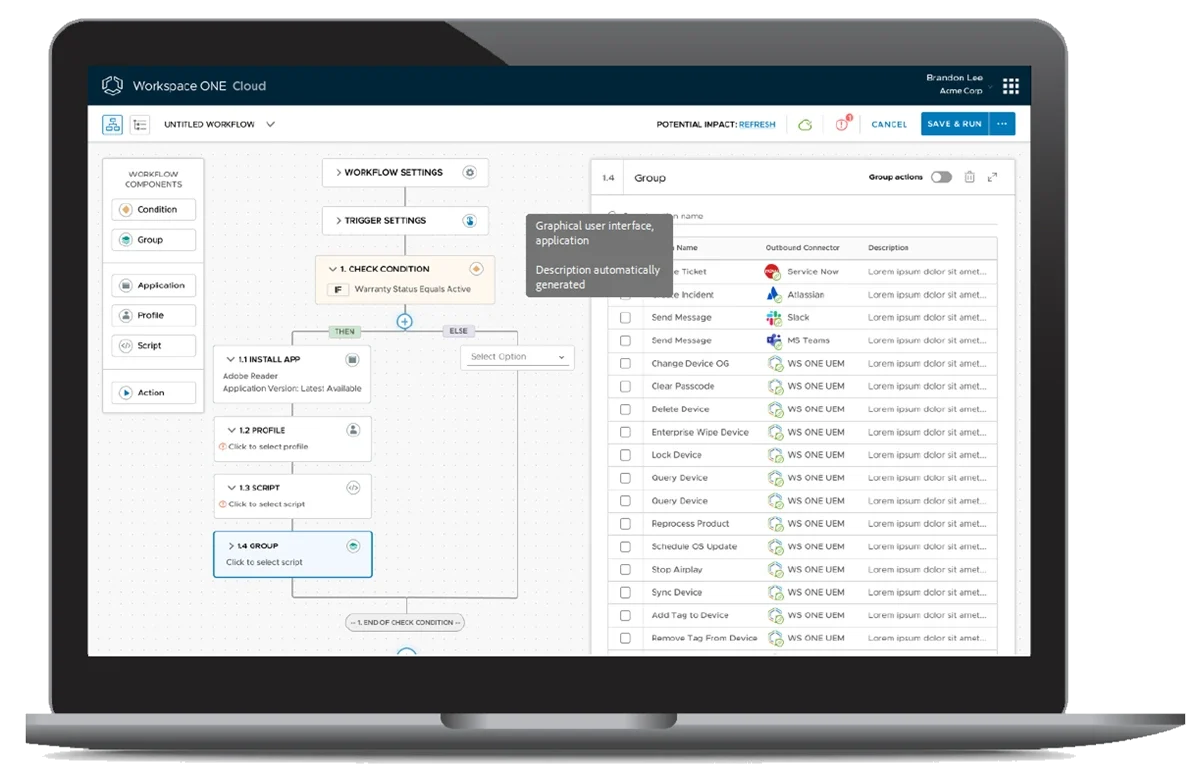
A visual canvas for building workflows, with conditions, apps, profiles and scripts, and connectors to ServiceNow, Atlassian, Slack and Teams.
Mapping the applications, user groups, security requirements and where workloads run.
Choosing a deployment model (on-premises, cloud or hybrid), the image and application architecture, and defining access.
Building the environment, capturing applications, moving users in stages and performance testing.
Monitoring, image updates and ongoing support for the environment.
Secure access to a desktop and apps from anywhere and any device, including seasonal and temporary workers and contractors.
Data that stays in the datacenter, central access control and desktops that stay available during an outage or disaster.
Fast setup of desktops for new users, and access to legacy applications without rewriting them.
Enterprises with a remote, hybrid or distributed workforce. IT teams simplify application management, improve the user experience and strengthen security.
One central management layer for on-premises and cloud environments, with image management, application delivery, monitoring and desktop and app assignment in one place.
Security and compliance, business continuity and disaster recovery, specialized workforces such as call centers and seasonal workers, mergers and acquisitions, datacenter extension and site expansion.
On-premises, in the hybrid cloud and in the cloud (DaaS). It integrates with Nutanix AHV, NVIDIA vGPU, IGEL devices, Amazon WorkSpaces Core and Microsoft Azure.
Yes. You capture the application once and deliver it to VDI and DaaS desktops and RDSH servers, on-premises or in the cloud.
We'd be glad to review with you which parts of your information systems are ready for an upgrade, and to propose technology solutions backed by decades of hands-on field experience.
Book a meeting