







Modern management on one platform
One view of all endpoints, so IT and security operations costs go down.
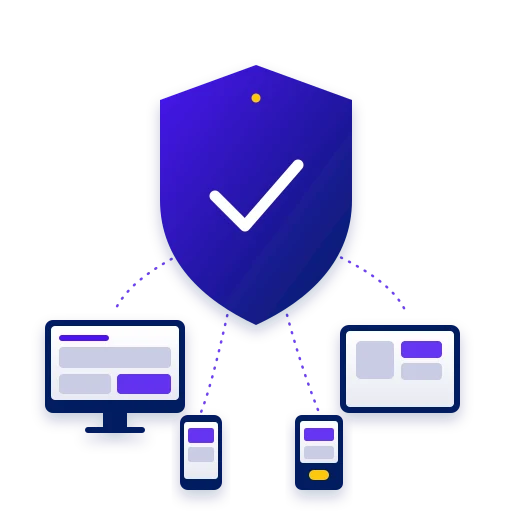
Omnissa Workspace ONE UEM is a unified endpoint management (UEM) platform that manages PCs, mobiles, frontline devices, servers and virtual devices from one console. It brings together enrollment, configuration, updates, security patching and compliance, and adds automation that takes manual work off the team. The goal: less overhead, lower costs and consistent security across every device.
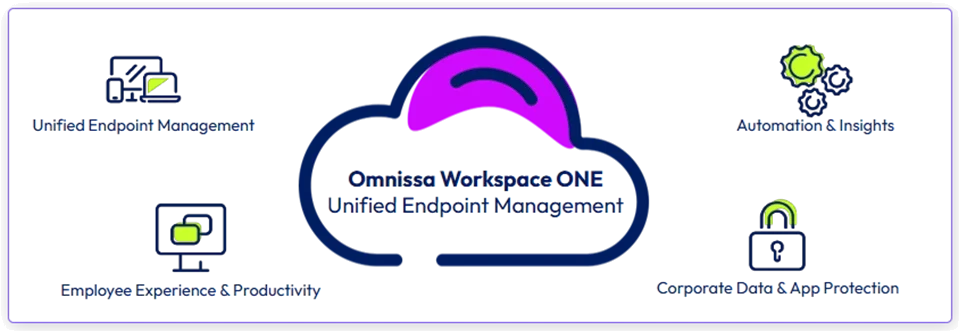
Four areas on one platform: unified endpoint management, employee experience and productivity, automation and insights, and corporate data and app protection.
One view of all endpoints, so IT and security operations costs go down.
Freedom to choose a device, flexible deployment and a self-service catalog for apps and resources.
Security enforced at every layer, and automatic remediation of compliance drift.
Event-driven workflows replace manual scripting, from zero-touch device onboarding to complex app deployment.
Cloud-based management of Windows, macOS, iOS, Android, ChromeOS and Linux: enrollment, configuration, updates and security patching.
Pre-packaged third-party apps, ready to deploy. Omnissa packages, tests and updates thousands of enterprise apps.
Real-time dashboards on security, compliance and user experience, with automated remediation.
Intent-based workflows (Freestyle Orchestrator) that trigger actions from events instead of manual scripts.
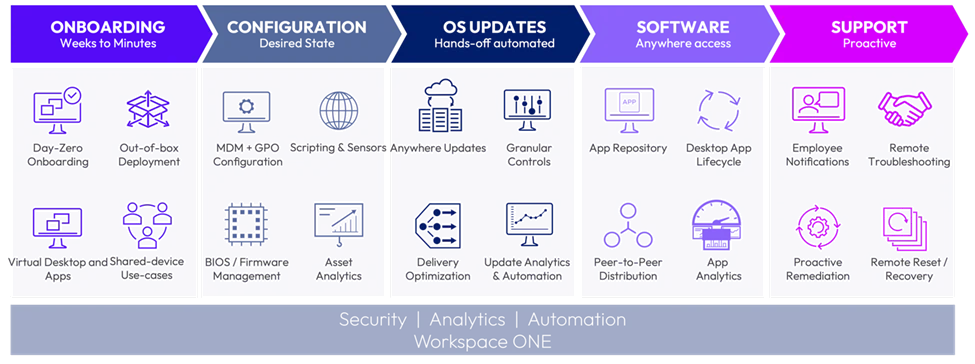
From onboarding to support: configuration, OS updates, software and proactive support, on one layer of security, analytics and automation.
Mapping device types, operating systems, ownership models and existing tools.
Defining policies, the app catalog, compliance rules and workflows.
Building the environment, enrolling devices and moving in stages from the existing management tools.
Monitoring, policy updates and ongoing support for the environment.
Enrollment, configuration, OS updates and security patching for Windows, macOS, ChromeOS and Linux from one console.
Managing iOS and Android, and rugged, shared and high-turnover devices, with fast provisioning, role-based access and remote support.
Checking device posture, enforcing policy and remediating drift automatically, even when the device is employee-owned (BYO).
Central management across operating systems, integration with identity and security, and automation at scale. Workspace ONE UEM unifies management, policy enforcement and integrations in one architecture.
The ability to scale across regions, device types and ownership models, with lifecycle automation, role-based administration and API extensibility.
Yes. One console for Windows, macOS, iOS and Android, with OS update policies and status monitoring.
Workspace ONE UEM consolidates management and adds identity integration, automation, analytics and support for the digital workspace.
Yes. The solution covers Windows, Apple, Google and Linux, and mobile, desktop, server, virtual, IoT, kiosk and printer devices, including frontline and shared devices, whether corporate-owned or employee-owned.
We'd be glad to review with you which parts of your information systems are ready for an upgrade, and to propose technology solutions backed by decades of hands-on field experience.
Book a meeting